Don't miss our holiday offer - up to 50% OFF!
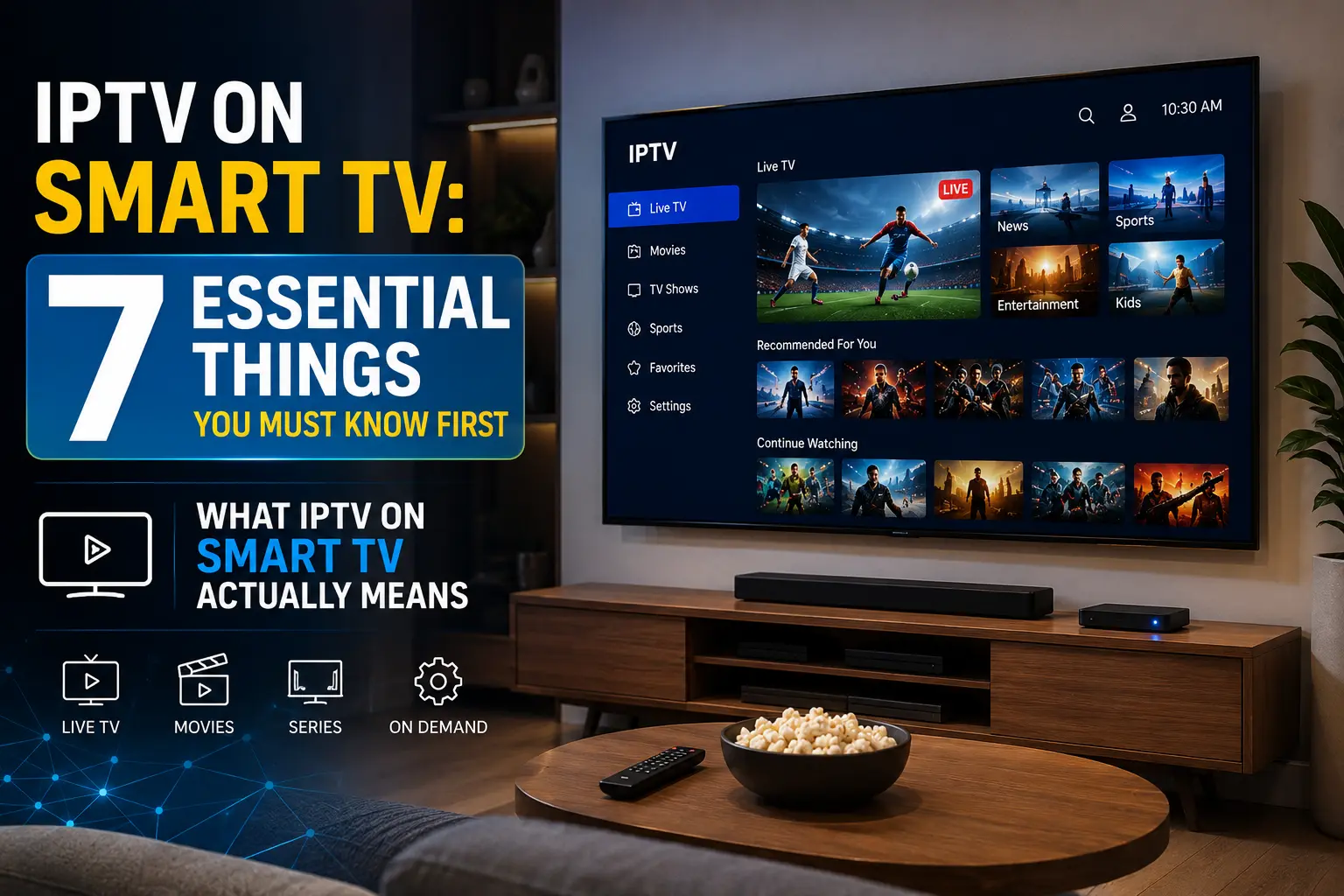
What IPTV on Smart TV Actually Means

Somewhere around 2019, a friend of mine cancelled his Sky subscription after 12 years. He didn’t replace it with Netflix or a Free view box. He replaced it with IPTV on his Smart TV, and within a week he was watching six foreign football leagues, three news channels from different countries, and an obscure cycling documentary series he’d been hunting for years. I remember thinking: this feels like a turning point.
IPTV on Smart TV means receiving television content delivered over the internet directly to your television’s built-in operating system, rather than through a satellite dish, cable box, or aerial. The “smart” part refers to the fact that modern televisions run software platforms Samsung’s Tizen, LG’s web OS, Android TV, Google TV, and others that can host applications just like a phone or tablet. IPTV services, both official and third-party, plug straight into those platforms.
This isn’t just cord-cutting with a new name. The experience of using IPTV on Smart TV is genuinely different from legacy broadcasting. You’re pulling streams over a broadband connection, often with access to video-on-demand libraries, catch-up content, and live channels from dozens of countries, all inside a single interface. It’s more like a content operating system than a TV subscription.
The Seven Things Worth Knowing Before You Start
Most guides about IPTV on Smart TV begin and end with “download this app and enter your credentials.” That’s a bit like teaching someone to drive by handing them the keys. There’s more to it. Here are the seven things that genuinely matter.
1. Your Smart TV’s OS Determines What’s Possible
Not all Smart TVs are created equal when it comes to IPTV. Android TV and Google TV devices including Sony Bra via and Philips OLED sets have access to the Google Play Store, which means installing best IPTV apps is relatively straightforward. Samsung Tizen and LG web OS, by contrast, have more restricted app stores. You may find yourself sideloading apps from external sources, which adds a layer of complexity.
Before you commit to any IPTV service, check whether a dedicated app exists for your specific TV platform. A service that works brilliantly on Android TV might require a workaround on Tizen. That’s not a dealbreaker, but it’s worth knowing upfront.
2. Bandwidth Is Everything
A standard definition IPTV stream typically needs around 3–4 Mbps. Full HD requires 8–10 Mbps. 4K content from IPTV on Smart TV can demand anywhere from 15–25 Mbps per stream. If you’re watching while someone else in the house is on a video call and another device is downloading updates, the maths gets uncomfortable quickly.
The issue isn’t just total broadband speed it’s consistency. Buffering during IPTV is almost always caused by fluctuating speeds or packet loss, not headline download rates. A 50 Mbps connection with occasional drops is worse for IPTV than a solid 20 Mbps line. We’ll come back to this.
3. Not All IPTV Services Are Legal
This one deserves honesty rather than hand-waving. Some IPTV services are fully licensed, regulated platforms like ITVX, Channel 4’s streaming app, BBC iPlayer, and international equivalents such as Peacock or DAZN. Others operate in a grey area or outright illegally, redistributing content from broadcasters without permission.
The distinction matters for several reasons, which we’ll address in full below.
4. The M3U Playlist Standard Is Worth Understanding
Most third-party IPTV services deliver content through M3U playlists text files containing stream URLs. IPTV apps on Smart TVs, such as TiviMate, GSE Smart IPTV, or the IPTV Smarters app, read these playlists and present them as a channel guide.
Once you understand this, the whole ecosystem makes more sense. You’re not buying a “service” in the traditional sense. You’re getting access to a URL list. The quality of those streams, their reliability, and the legality of the underlying content all depends entirely on who provided the M3U file.
5. An Electronic Programme Guide Isn’t Guaranteed
One thing traditional broadcast TV does well is the EPG the on-screen programme guide that tells you what’s on now and what’s coming up. IPTV on Smart TV can replicate this, but it requires EPG data to be bundled with or linked to your M3U playlist via an XMLTV feed. Some services include this automatically. Others don’t. If you care about browsing like a traditional viewer rather than hunting through channel lists, ask specifically about EPG support before signing up.
6. Your Router Placement Matters More Than You Think
Smart TVs are commonly placed in living rooms away from routers. If you’re relying on Wi-Fi rather than a wired Ethernet connection, signal strength at the TV’s location directly affects your IPTV experience. A TV tucked behind a large wooden media unit in a room two walls from the router is a recipe for frustration.
Where a wired connection isn’t possible, a quality mesh Wi-Fi system or a powerline adaptor can make a significant difference. This sounds mundane, but it’s one of the most common reasons people give up on IPTV when the underlying issue has nothing to do with the service itself.
7. 4K IPTV Is Genuinely Available But Rare Done Properly
You’ll see plenty of IPTV services claiming to offer 4K content. The reality is patchier. True 4K streams require H.265/HEVC encoding to be efficient, and not all IPTV apps or Smart TV hardware decode this equally well. Some services label 1080p streams as “4K.” Others offer genuine 2160p content that your TV handles without issue.
If 4K is a priority, test it before you commit long-term.
Choosing the Right IPTV App for Your Smart TV
The app layer is where the IPTV on Smart TV experience either clicks or collapses. A good service with a bad app is a bad experience. A great app with an unreliable M3U source isn’t much better. They both need to work.
For Android TV and Google TV users, TiviMate is widely regarded as one of the best IPTV players available. It handles EPG data cleanly, manages multiple playlists, and supports advanced playback options. A premium subscription unlocks multi-screen and recording features. Android Authority covered TiviMate extensively in their breakdown of cord-cutting tools, and the user reviews across the Play Store are consistently strong.
IPTV Smarters Pro is another popular choice with broader platform support, including some workarounds for Samsung and LG devices. GSE Smart IPTV, meanwhile, supports both M3U and Xtream Codes protocols and is notable for its EPG integration.
For those on Samsung Tizen specifically, the official Samsung Smart TV app ecosystem is limited for third-party IPTV. Some users sideload APKs using Samsung’s developer mode, though this requires a degree of technical confidence. LG webOS users have slightly more flexibility through LG’s Content Store, but the selection remains narrower than Android TV.
The honest recommendation? If IPTV flexibility matters to you and you’re buying a new television, the operating system should factor into your decision. Android TV and Google TV devices currently offer the smoothest IPTV on Smart TV experience.
Network Requirements: The Part Everyone Underestimates
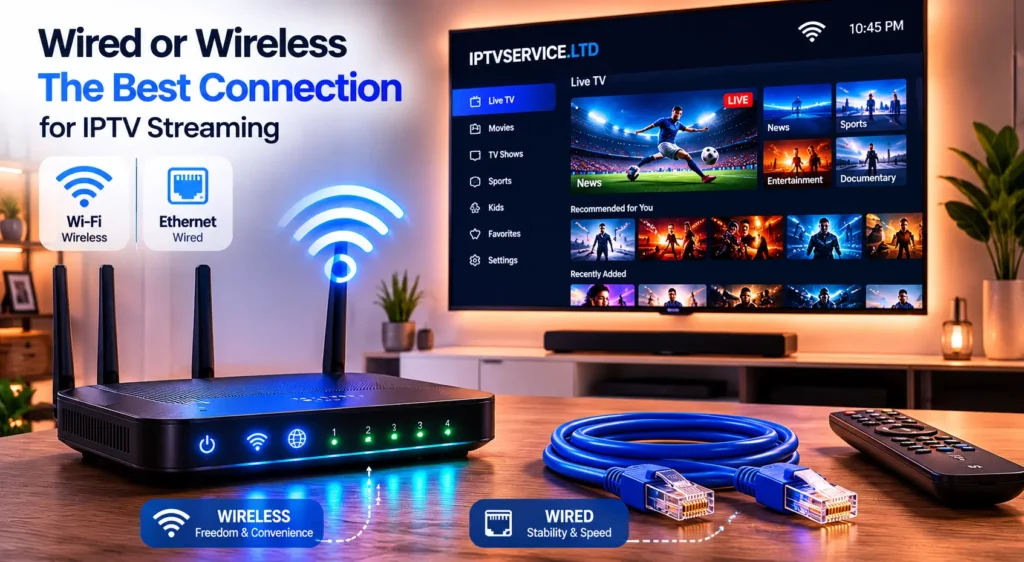
Here’s a practical way to think about your home network in relation to IPTV. Imagine your broadband connection as a water pipe coming into your house. The total flow is fixed. Every device using the internet at the same time is drawing from that pipe. IPTV streams are particularly sensitive to interruptions in that flow, unlike a download that simply pauses and resumes.
| Stream Quality | Minimum Speed Required | Recommended Speed |
|---|---|---|
| Standard Definition | 3 Mbps | 5 Mbps |
| Full HD (1080p) | 8 Mbps | 12 Mbps |
| 4K Ultra HD | 15 Mbps | 25 Mbps |
These figures assume IPTV is the only active use. In a household with multiple devices, add accordingly.
Wired Ethernet remains the gold standard for IPTV on Smart TV. Even a modest 100 Mbps Ethernet connection will handle any IPTV stream without breaking a sweat, and without the latency spikes that Wi-Fi can introduce. Most modern Smart TVs include an Ethernet port, though it’s often tucked away behind the stand and forgotten.
If Wi-Fi is your only option, position your router as centrally as possible in the home, ensure you’re on the 5GHz band for better throughput, and consider Wi-Fi 6 hardware if your current equipment is more than five years old. The investment pays dividends beyond IPTV.
Legal IPTV vs. the Grey Market
This is the section many guides skip because it’s uncomfortable. So let’s address it directly.
Legal IPTV services include the catch-up and streaming apps offered by licensed broadcasters BBC iPlayer, ITVX, Channel 4, My5 in the UK; Peacock, Paramount+, and Philo in the US; DAZN for sport internationally. These services operate under broadcasting licences, pay rights holders, and are fully supported on major Smart TV platforms. Using them carries no legal risk.
Then there’s the grey market. This encompasses subscription services often sold via WhatsApp or obscure reseller websites for a few pounds a month that bundle hundreds of live channels, including premium sport and first-run movies, without any legitimate licensing arrangement. These services violate copyright law. In the UK, the Federation Against Copyright Theft (FACT) has prosecuted both operators and, in some cases, end users of such services.
Does this mean everyone using them faces immediate legal consequences? No. But it does mean the service you rely on can disappear overnight without refund, your IP address is often logged, and you’re financially supporting an industry that ultimately undermines the content you enjoy.
The grey market exists because it’s cheap and it works until it doesn’t. That’s the honest trade-off.
Getting the Best Picture Quality
Picture quality with IPTV on Smart TV depends on several variables working together. The source stream quality is the ceiling no amount of post-processing on your TV will recover detail that wasn’t in the original encode. But you can absolutely ruin a good source stream with poor settings on your end.
Start with your TV’s picture mode. Most Smart TVs default to a “Dynamic” or “Vivid” preset that oversaturates colours and applies excessive sharpening. For IPTV content, switching to “Cinema” or “Filmmaker Mode” (available on LG OLEDs and some others) produces a more accurate and comfortable image. HDR content, where available, benefits from a dedicated HDR mode.
Motion smoothing, often called “Smooth Motion” or “TruMotion” depending on the brand, is a personal preference but frequently causes what viewers call the “soap opera effect” on cinematic content. Many IPTV users prefer it disabled.
For buffering specifically, check your IPTV app’s buffer size settings. TiviMate, for instance, allows you to adjust buffer size manually. Increasing it gives the app more stream data to hold in memory, which helps smooth over brief connectivity dips at the cost of a slight delay at stream start.
[Internal Link: how to fix IPTV buffering on Smart TV → /fix iptv buffering smart tv/]
When IPTV on Smart TV Isn’t the Right Fit
It would be disingenuous to suggest IPTV on Smart TV is the right choice for everyone. It isn’t, and here’s where it falls short.
If you live in a rural area with a slow or unreliable broadband connection, IPTV will frustrate you. The minimum requirements aren’t suggestions. You can’t stream HD television on a 4 Mbps connection that drops to 1.5 Mbps several times a day.
If you’re not comfortable with technology beyond plugging in a remote, the setup process for third-party IPTV apps particularly on non-Android Smart TV platforms requires patience and some basic troubleshooting ability. There’s no phone support line for most of these services.
If you rely heavily on regional or niche broadcasting that satellite or cable covers comprehensively in your area, IPTV may not match the breadth without paying for multiple licensed services simultaneously. What looks like unlimited access on grey market services often masks unreliable or low-quality streams for anything outside the mainstream.
And if you’re a sports viewer who depends on specific domestic rights packages Sky Sports, BT Sport/TNT Sports, beIN in the Middle East the legal IPTV landscape requires you to either subscribe to those services directly through their apps or accept the ethical and legal complications of unlicensed alternatives.
None of this means IPTV isn’t worth considering. It means going in with accurate expectations rather than the hype that surrounds it. What’s the actual cost difference once you’ve paid for the legitimate services you genuinely need? That’s the question worth doing the maths on before making a decision.
Interested in the IPTV industry beyond simply watching content? Many entrepreneurs start by offering reseller services. Here’s what to know before choosing an IPTV reseller package.
Frequently Asked Questions
What is IPTV on Smart TV and how does it work?
IPTV on Smart TV refers to the delivery of television content over an internet connection to a television’s built-in software platform. Rather than receiving a broadcast signal via aerial, satellite, or cable, the Smart TV requests a video stream from a server over your home broadband. The TV’s operating system runs an IPTV application either a native one from a licensed broadcaster or a third-party player which manages the stream and displays a channel or content interface. The experience closely resembles traditional TV from the viewer’s perspective, with the key difference being that content quality depends heavily on your internet connection rather than signal strength.
Which Smart TVs are best for running IPTV?
Android TV and Google TV devices are currently the best Smart TV platforms for IPTV on Smart TV. They support the widest range of IPTV applications through the Google Play Store, including TiviMate, IPTV Smarters Pro, and GSE Smart IPTV. Sony Bravia TVs running Google TV are a strong choice. Nvidia Shield connected to any television also provides an excellent Android TV-based IPTV experience. Samsung Tizen and LG webOS TVs can run IPTV apps, but the app selection is more restricted, and some setups require sideloading, which is a less straightforward process for most users.
How much internet speed do I need for IPTV on Smart TV?
For standard definition IPTV you need a minimum of 3–5 Mbps, for full HD at least 8–12 Mbps, and for 4K IPTV on Smart TV a minimum of 15–25 Mbps per stream is advisable. Crucially, these figures assume a stable connection a 100 Mbps line that fluctuates heavily is less suitable than a consistent 20 Mbps connection. If other devices in your household share the connection during peak viewing hours, factor their usage into your available bandwidth. A wired Ethernet connection to your Smart TV will always outperform Wi-Fi for reliability.
Is IPTV on Smart TV legal?
It depends entirely on the service. Official broadcaster apps such as BBC iPlayer, ITVX, Peacock, or DAZN are fully legal and licensed. The grey market consists of unauthorised subscription services that redistribute live channels and on-demand content without rights. These are illegal under copyright law in the UK, EU, and US, among other jurisdictions. Using them carries risk of service interruption, potential legal exposure, and the practical problem that the services disappear without warning. The Federation Against Copyright Theft in the UK actively pursues operators of such services, and enforcement has intensified in recent years.
Why does my IPTV buffer on Smart TV even with fast internet?
Buffering during IPTV on Smart TV is rarely caused by insufficient total bandwidth. The more common culprits include Wi-Fi instability between your router and television, server-side congestion at peak viewing times on the IPTV provider’s infrastructure, underpowered IPTV app buffer settings, or the IPTV service itself routing streams through overloaded CDN nodes. Switching to a wired Ethernet connection resolves many buffering issues immediately. If that’s not possible, repositioning your router or adding a mesh node closer to the TV helps significantly. Within your IPTV app, increasing the buffer size in settings can absorb brief connectivity dips before they cause visible stuttering.