Don't miss our holiday offer - up to 50% OFF!

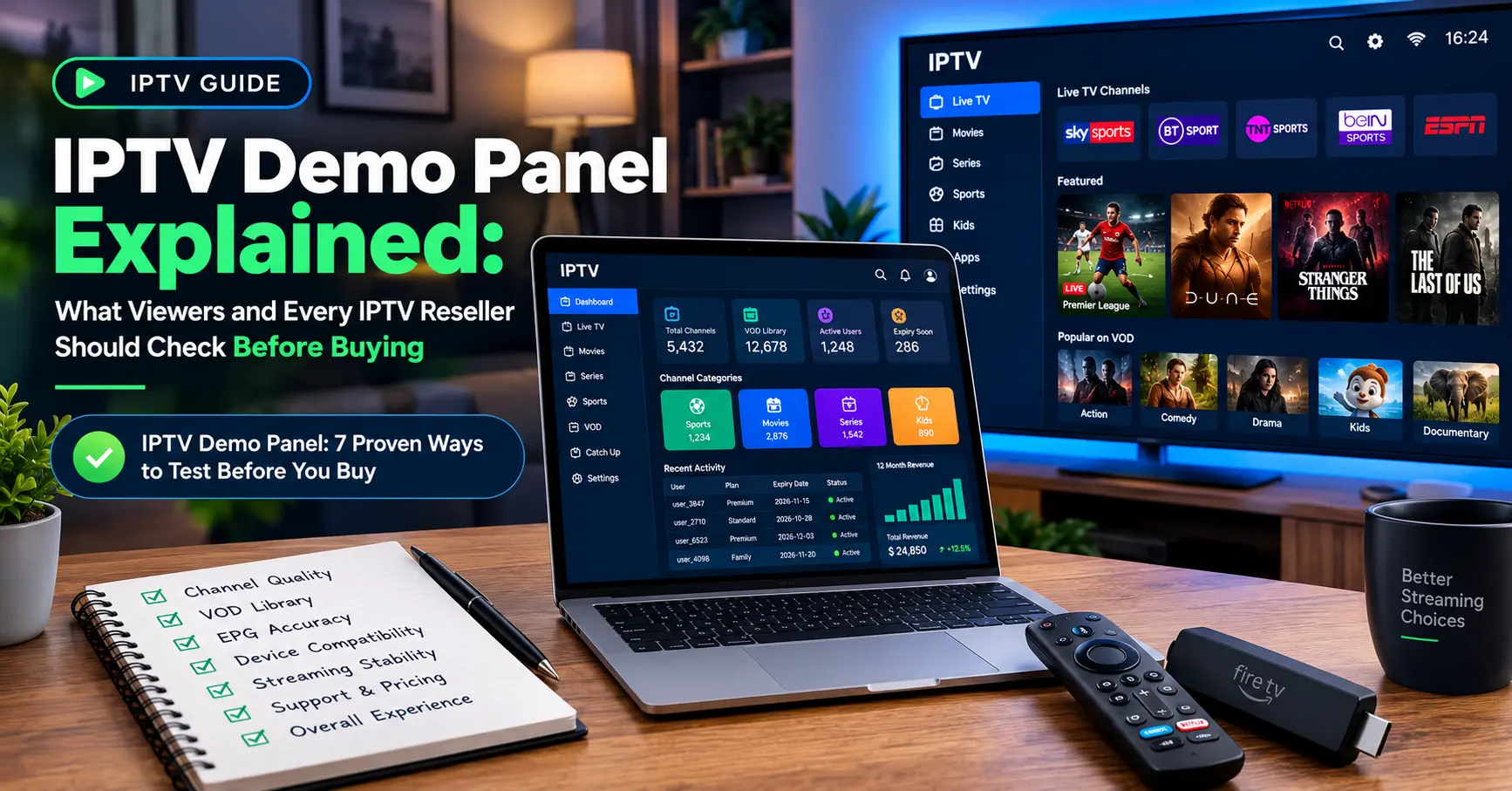
IPTV Demo Panel Explained: What Viewers and Every IPTV Reseller Should Check Before Buying

Three hours. That’s how long my brand new subscription worked before it fell apart. I’d paid for a month upfront with an IPTV provider that had a gorgeous website, a long channel list and a price that should have made me suspicious. By the second evening the picture froze every ninety seconds, and half the sports channels I’d bought it for were looping the same highlights.
A proper IPTV demo panel would have shown me every one of those problems before a single pound left my account. That’s the whole case for this guide. I’ve tested dozens of trials since then, and I’m going to share exactly how I do it, what I look for and when I walk away.
If you’re a viewer, you’ll learn how to judge quality without wasting money. If you’re thinking about becoming an IPTV reseller, you’ll see why an IPTV demo panel matters just as much on your side of the counter. And if you simply want a premium IPTV service that doesn’t let you down on match day, you’re in the right place.
What Is an IPTV Demo Panel, Really?
Put simply, an IPTV demo panel is a temporary account, usually lasting between a few hours and a week, that gives you access to the same streams a paying customer would get. Some providers send login details by email. Others give you a playlist link, an app code or a small web dashboard where you can watch your trial status tick down.
The word “panel” trips people up. Strictly speaking, the panel is the management dashboard that providers and resellers use to create accounts, set expiry dates and assign credits. When people say demo panel, they usually mean a trial line created from that dashboard. Either way, the result for you is the same: a login and a countdown.
Why does this matter? Because streaming quality isn’t a number on a feature list. It’s something you feel at 8pm on a Saturday, when kick-off is two minutes away and the whole household is watching.
Would you buy a car without a test drive? Picture walking into a showroom, handing over the cash and being told the engine is “probably fine”. That’s what paying for an untested stream feels like once the novelty wears off.
Everybody benefits from a trial, frankly. Cord-cutters swapping a satellite box for an app need to know their broadband copes. Expats chasing channels from home want to confirm the language packs exist. And anyone comparing two or three services needs a fair way to separate them.
There’s a catch, though. A demo is only as honest as the provider behind it. Some trials run on a faster server than the one your paid account lands on, so a flawless test doesn’t guarantee a flawless month.
Seven Checks I Run Before Trusting Any Trial
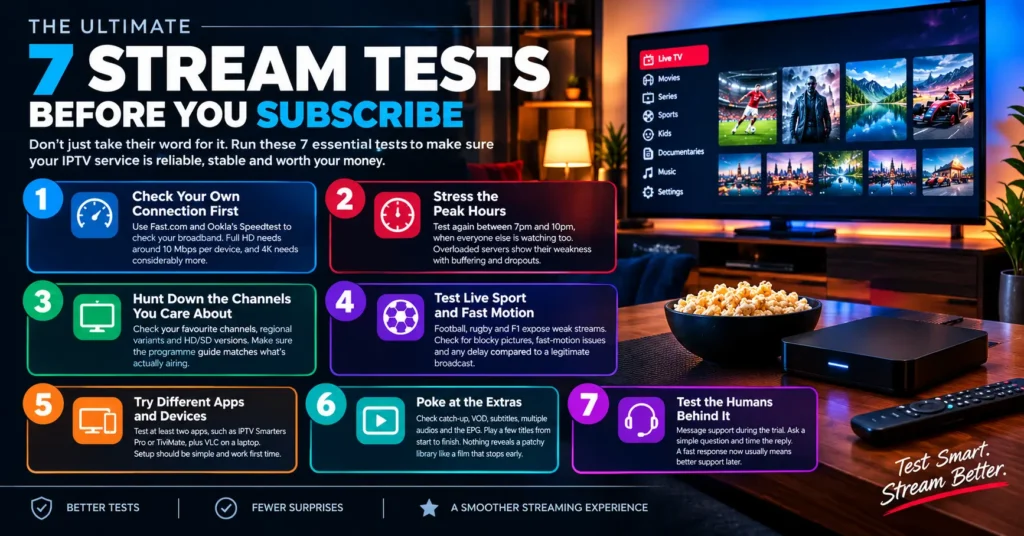
I keep a simple routine. It takes about an hour spread across two sessions, and I use the same device and connection I’ll rely on every day. Here are the seven checks I run on every IPTV demo panel, in the order I run them.
1. Check Your Own Connection First
Before you blame the service, test your broadband. I use Fast.com, which Netflix runs, alongside Ookla’s Speed test to confirm I’m getting a steady speed. Full HD streams generally want around 10 Mbps per device, and 4K wants considerably more. If your Wi-Fi is the weak link, no provider on earth can fix that.
2. Stress the Peak Hours
Anyone can stream smoothly at 10am on a Tuesday. So I test again between 7pm and 10pm, when everyone else is watching too. Overloaded servers show their weakness right then, with buffering, blocky pictures and the occasional full drop. If a trial only behaves in quiet hours, I assume the paid plan will do the same.
3. Hunt Down the Channels You Care About
Channel counts are a vanity metric. Ten thousand channels mean nothing if your five favourites are missing or mislabelled. I write a shortlist before testing, then check each one, including regional variants and the HD versus SD versions. I also check whether the programme guide matches what’s actually airing.
4. Test Live Sport and Fast Motion
Football, rugby and Formula 1 punish weak streams. Fast pans expose compression, and goals expose delays. I compare the stream against a legitimate broadcast on another screen to measure the lag. A delay of a few seconds is normal, but thirty seconds turns your phone into a spoiler machine.
5. Try Different Apps and Devices
Locking you into one app is a bad sign. I try the service on at least two options, such as IPTV Smarters Pro or TiviMate on an Android box, plus VLC on a laptop. Setup should be painless and the login details should work first time. If the provider insists on a single obscure app, that tells you something.
6. Poke at the Extras
Catch-up, video on demand, subtitles, multiple audio tracks and the electronic programme guide all vary wildly between services. I scroll through the VOD library and play a few titles from start to finish. Nothing reveals a patchy library like a film that stops at minute forty. Some services skip these extras altogether, which is fine if you don’t need them.
7. Test the Humans Behind It
Finally, I message support during the trial. I ask something simple, like how to add a second device, and I time the reply. A provider that answers within an hour while you’re not yet a customer is likely to keep answering later. Silence at this stage is the loudest warning of all.
Run these seven checks on any IPTV demo panel and you’ll know more than most paying customers ever find out.
Red Flags That Make Me Close the Tab Immediately
Over the years I’ve built a mental list of warning signs. Some are obvious and some are sneaky. Here are the ones that have saved me the most money when an IPTV demo panel looked too good to be true.
- Trials that last only a few minutes, or that demand card details with no clear way to cancel.
- A refusal to offer any demo at all, replaced by a vague “money-back guarantee”.
- Pricing so low it can’t possibly cover content rights, such as a full year for the cost of a takeaway.
- Support available only through anonymous messaging accounts with no business name or address.
- A flawless demo followed by a paid plan that quietly moves you to “different servers”.
- Payment requests that accept only gift cards or untraceable transfers.
One red flag doesn’t always mean disaster. Two should make you pause, and three means you should leave.
How an IPTV Demo Panel Compares With Other Trial Types
Not every trial is created equal. The table below shows how I think about the main options.
| Trial type | Typical length | What you can judge | Main drawback |
|---|---|---|---|
| Short demo line | 2 to 24 hours | Basic quality and channel list | Too brief for peak hour testing |
| Extended demo panel account | 3 to 7 days | Peak hours, sport and support | Fewer providers offer it |
| Paid one-month plan | 30 days | Everything | Your money is already at risk |
| Reseller test credits | Varies | Back-end tools and account creation | Only useful for business owners |
My personal favourite is the multi-day option, because it covers a weekend. A weekend contains your busiest viewing and the heaviest pressure on any server. If a provider only offers a few hours, I ask for an extension, and the response tells me plenty.
If You’re Thinking of Becoming an IPTV Reseller
Let me switch hats for a minute. I’ve spoken with several people who started small as an IPTV reseller, buying credits in bulk and selling subscriptions to friends, family and local communities.
Their biggest early mistake was almost always the same. They bought credits from a supplier without testing the wholesale quality first. Then they spent weeks apologising to customers.
Why Your Own IPTV Demo Panel Is a Sales Tool
Giving prospects a short trial is the best sales pitch you’ll ever have. A well-run IPTV demo panel turns sceptical visitors into customers because they’ve already experienced the product. It also filters out time-wasters, since people who never use the trial rarely buy.
But keep your limits tight. Cap each trial at one device, set a clear expiry and track who’s asking. Otherwise, a handful of serial freeloaders will eat your server capacity.
Be honest about the trade-offs, too. Reselling is a support business first and a streaming business second. You’ll field messages at midnight, you’ll troubleshoot routers you’ve never seen, and margins can be thin.
Should that still appeal, start by choosing your upstream IPTV provider the same way a viewer would. Test it. Stress it. Ask awkward questions. Then decide.
Credits, Panels and What Happens Behind the Curtain
Most reseller dashboards run on a credit system. You buy credits from your upstream supplier, then spend them to create or renew customer lines. One credit often equals one month of one connection, though that varies by provider.
Newcomers to this model will find our explainer What Are IPTV Credits, Exactly? useful, because it breaks the maths down in plain English.
So where does this fit in? Every IPTV demo panel account costs the provider a small fraction of a credit, or nothing at all. A generous trial policy therefore says something about how confident the supplier is.
Here’s the typical journey of a trial account:
- The provider or reseller logs into the management panel.
- They create a trial line with a short expiry and a single connection.
- Login details or a playlist link are sent to you.
- The line expires automatically, or converts to a paid plan when you pay.
Simple enough, right? The magic is in step two, because that’s where honest providers keep trials identical to paid lines, and dishonest ones don’t.
Staying on the Right Side of the Law
I’d be doing you a disservice if I skipped this. The IPTV world contains both fully licensed services and a large grey market of unlicensed streams. Ofcom’s research on how Britons watch television has shown how widely illegal streaming is used, and rights holders keep pushing back through groups like the Alliance for Creativity and Entertainment.
Choose a service that can show you where its content rights come from. Licensed IPTV exists, often through telecom operators and established streaming brands, and it’s the safer route for viewers and for anyone considering reselling. Even a free IPTV demo panel doesn’t make an unlicensed service legal, so check the paperwork first.
Any genuine premium IPTV service will have a registered business name, clear terms and a way to complain if something goes wrong. Anything less leaves you with no protection when the stream vanishes overnight. I’ve seen that happen to friends, and it’s never pleasant.
Choosing a Premium IPTV Service After the Trial Ends
Using an IPTV Demo Panel as Your Final Filter
By now you’ve tested the connection, the channels, the sport and the support. What’s left is the decision.
Scoring each candidate out of ten across four areas keeps me honest: stream stability, channel accuracy, support speed and transparency. Anything under seven goes in the bin. A premium IPTV service should clear that bar comfortably, not scrape past it.
Then comes the money question. Monthly plans cost more per month but cap your risk. Annual plans look cheaper, yet they tie up your cash with a business you’ve known for a week. I usually start monthly, then upgrade once the service has survived a few big events.
Compare two or three options side by side, using the same checks on each IPTV demo panel. Fairness matters. Testing one provider on a Tuesday and another on a Saturday tells you nothing.
For extra help, our guide how to choose a reliable IPTV provider walks through the checklist in more detail.
When a Demo Isn’t Enough
Some limits apply. An IPTV demo panel can’t tell you how a provider behaves during a month-long outage or a billing dispute. It can’t predict whether the company still exists next year, either.
That’s why I treat the first paid month as the real final test. Keep the receipt, keep the support chat history and don’t prepay for a year until you’ve lived with the service.
Before You Hit Buy: A Final Word
Looking back at my three-hour disaster, the lesson wasn’t about price or hype. It was about patience. Ten minutes with a trial would have saved me a month of regret.
Go and claim that free test. Treat every IPTV demo panel as a job interview, because that’s exactly what it is. The provider’s job is to impress you, and yours is to catch them out.
Pick wisely, test properly, and enjoy the match.
Frequently Asked Questions
What is an IPTV demo panel, and is it really free?
It’s a temporary trial account that lets you test a service before you pay. Most are free, although a few providers ask for a small refundable deposit. The trial should carry the same channels and servers as the paid plan, so ask about that directly. If the answer is vague, treat it as a warning.
How long should an IPTV demo panel trial last?
Aim for at least 24 hours, and ideally two to seven days. That window lets you test a weekday evening and a busy weekend. Anything under a few hours only proves the app opens. Don’t be shy about asking for an extension if you’re comparing several services.
Is it safe to trust an IPTV reseller who offers a free trial?
A trial is a good sign, but it isn’t proof. A trustworthy IPTV reseller will also share a business name, clear terms and a working support channel. Ask which IPTV provider supplies the streams and what happens if that supplier disappears. Honest sellers answer without fuss.
What makes a premium IPTV service different from a cheap one?
Stability, support and transparency matter more than channel counts. A premium IPTV service tends to publish its terms, respond to messages quickly and keep streams steady during peak hours. It usually costs more, because rights, bandwidth and staff aren’t free. If the price looks impossibly low, someone is cutting corners.
Are all IPTV providers legal?
No, and that’s why checking matters. Licensed IPTV services exist and operate openly, often with registered companies and clear terms. Unlicensed streams can vanish without notice and may expose you to legal risk depending on where you live. Choose an IPTV provider that can prove where its content comes from.